

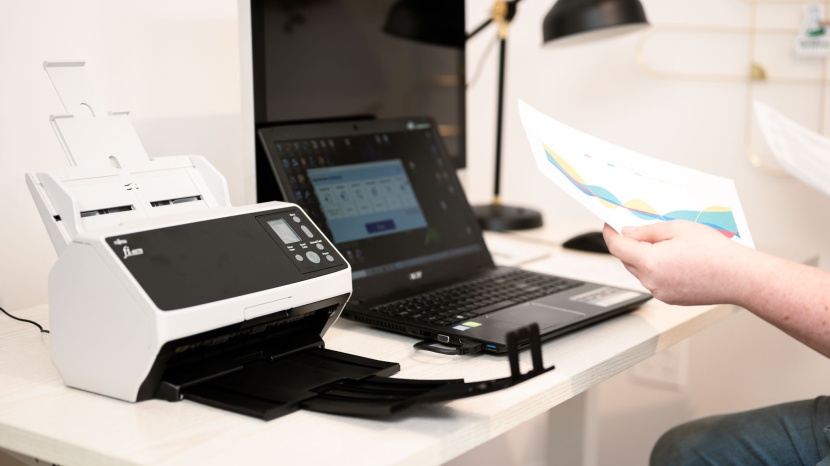
Paper can slow an office down. A form gets buried on a desk. A contract sits in a tray waiting for a copy. Someone needs a receipt, and the only one is in a box under a window. Time goes by while people search, print, and wait. The day feels busy, yet not much moves forward. There is a better way that keeps the pace steady and calm.
Why paper slows teams down
The paper is hard to track. Only one person can hold the sheet at a time. If the person is out, the work pauses. Files live in drawers or boxes, and no one remembers which one. Even when a label helps, the right page can hide behind many similar pages.
Scanning changes this. A scanned file can be found in seconds by typing a few words. It can be shared with a link. It can be saved with others from the same project and kept in one place. For teams with a large backlog or strict rules, a trusted provider can help with document scanning so the archive becomes clear and ready to search. The goal is to make every file easy to find and simple to use.
What to scan first
Start with what moves work today. Active items give the biggest win. Think invoices waiting to be paid, purchase orders, signed forms, project notes, client folders, and meeting handouts. Then scan key records that must be ready on short notice, such as IDs, warranty papers, or insurance cards. Old binders and boxes can wait a little, unless there is a rule or audit coming soon.
A good test is this: if someone asks for the file twice a month, scan it now. If a box has not been opened in a year, plan it as a batch later.
A quick routine that fits in a break
The best system is one that happens every day. A five-minute scan routine works well in most offices.
First, collect the new papers from today’s work. Second, scan them in one go. Third, give each file a clear name. Fourth, drop it into the right folder. Last, recycle the extra copy or store the original if the law says to keep it. That’s it. Five minutes of steady steps beat a long clean-up at the end of the month.
Keep the scanner easy to reach. Set a short timer as a cue near the end of the day. If the team shares a device, post a small card with the steps. When the steps are short and clear, the habit sticks.
Simple names that make search easy
Good names save more time than most people expect. Use a short, steady format that tells the story at a glance.
A clean pattern is: YEAR-MONTH-DAY_Client_Project_FileType_V1.pdf. For example: 2025-08-28_AcornCo_Renewal_Contract_V1.pdf. Dates sort well this way. Keep words short. Use underscores or dashes, not spaces. Avoid extra marks. When a file changes, bump the version to V2 or add Signed.
If a date is not known, put the year only. If the client’s name is long, use a safe short form that everyone knows. The aim is the same each time so no one needs to guess.
Folders that match how the team works
Folders should fit the work, not the other way around. Many teams do well with a top-level for each team, then a project, then a small set of types such as Contracts, Invoices, Notes, and Reports. Others sort by year first, then client, then project. Both can work. Pick one and write it down in a one-page guide.
Do not dig too deep. If a path goes past four levels, search will beat more sorting. Keep names plain. If the system is shared, add a short code to the folder for the owner team, such as FIN for finance or OPS for operations. That helps people route a file to the right place.
Search beats sorting
Modern scanners and apps can read text inside a page. This is called OCR. It means you can type a name, a number, or a phrase, and the right file pops up. With OCR, a team can keep a simple folder tree and rely on search for the fine details.
This helps before meetings. Scan handouts once, then open them from a laptop or tablet by typing a keyword in the title or inside the file. No more photo of a screen. No more notes lost in a pile. The search box becomes the fastest path to the page.
Sharing without the wait
Sharing a scanned file is fast and clear. Send a link or attach the PDF. Use one shared folder per project so people know where to check first. Set a naming rule for drafts and final copies to avoid two versions going down different paths. If a file needs comments, use the cloud tool’s comment field rather than adding new copies.
A light rule helps here: the person who scans is the owner until handoff. The owner keeps the name clean, moves the file if needed, and answers quick questions about it. That keeps the trail short and neat.
Keep files safe
Digital files still need care. Set simple rules for who can see, edit, or share each folder. Use read-only for most people and edit rights for the small group that must change files. Turn on version history in the tool you use. That way, if a page gets changed by mistake, the old copy is still there.
Backups matter. A short plan is enough. Keep one copy in the cloud. Keep one on a local drive or server. Keep one more on an external drive in a safe spot. Set the backup to run on a schedule so no one has to remember it. Use a strong password for the cloud account and ask the team to use two-step sign-in.
When a pro service helps
Not every office can clear a backlog on its own. Thick files, old paper that tears, and huge runs of records take space and time. Laws can add care rules for health or legal files. In these cases, a pro service is worth it. The team can set the plan and keep daily scans in-house while the large set gets handled in batches. The main point is the same: make the archive searchable and safe.
How to fit scanning into real office work
Scanning is more than hardware. It is a small flow that links to normal work. Put a mini inbox near the scanner. The new paper goes there first. When the daily scan time comes, feed the inbox through, name the files, and file them. If mail arrives, open it, scan what matters, and file right away. If a courier drops a package with signed pages, scan them before the next task.
A shared calendar note can help for the first few weeks. A short weekly sweep also helps. On Friday, run a quick check: Are this week’s files in the right place? Do names match the rule? Are there pages that still need a scan? Five minutes here keeps the whole system tidy.
Small wins that show up fast
The gains from scanning show up in simple ways. Desks stay clear. People stop asking, “Who has the form?” Meetings start on time because files open in a few taps. New staff can find past work without a tour of the storage room. When a client calls, the right file shows up during the call, not after it.
Space opens up. Shelves that held old binders can hold tools the team needs. Boxes do not pile up. The office feels lighter and calmer. That helps focus. When the space is clear, the brain has more room to think.
Common questions, simple answers
Is a phone camera enough?
It can work for a few pages. Use a scan app that crops and straightens. For daily office use, a small desktop scanner with a feeder is better. It handles stacks and keeps both hands free.
What about signed papers?
Scan them. Keep the hard copy if a rule says to. Note “Signed” in the file name. Store the original in a safe place or send it to long-term storage.
How long should a team keep paper?
That depends on local rules and the type of file. Many offices keep tax and payroll records for a set number of years. Ask the finance lead or the legal team for a clear number and write it down in the one-page guide.
What if a scan is blurry?
Scan again at a higher setting. For most text, 300 dpi is fine. For photos, go higher. Keep the glass clean and the page flat.
A calm, fast office is possible
Scanning is not a big project. It is a steady habit. Start with the papers that move work today. Name files in a clear way. Use a simple folder plan and rely on search. Share with links, keep rights tight, and back up on a schedule. Bring in help for big backlogs when it makes sense.
Key points to carry forward
Paper slows teams down because it hides key pages and adds wait time. Scanning turns that same work into fast search, easy sharing, and clean space. A five-minute daily routine, clear names, and a simple folder plan make the gains real. Start small, keep it steady, and the office will feel quicker and calmer every week. If questions come up, note them, refine the one-page guide, and keep the flow moving.